The Directorate of Hydrography and Navigation of the Navy communicated Wednesday that Tsunami’s alert has been raised on the Peruvian coast, after the earthquake of magnitude 8.8 registered yesterday in Russia.
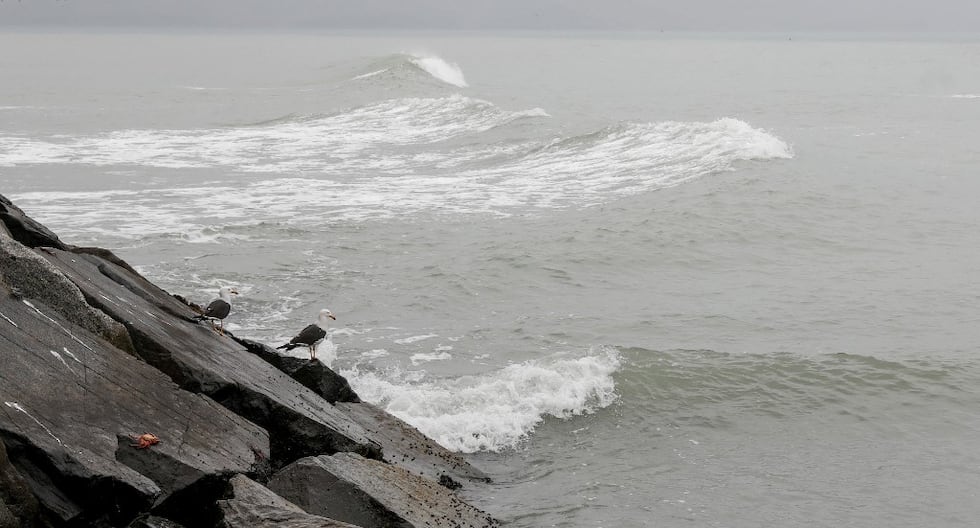
The measure was adopted after the passage of the wave train that hit the Peruvian coast around 11:50 am, as a consequence of the powerful earthquake with epicenter in the Kamchatka Peninsula.
As a preventive measure, the authorities of San Isidro, Miraflores and Magdalena decided to close the access to the beach circuit. However, after the cancellation of the Tsunami alert, the municipalities will raise this restriction.
Similarly, port captains at the national level must resume maritime activities in the next few hours.
Didn’t you receive Tsunami’s alert on your cell phone? So you can activate the Sismate step by step
Following the 8.8 magnitude earthquake in front of the Kamchatka Peninsula, in Russia, the Peruvian Navy issued a Tsunami alert for the entire Peruvian coast. As a preventive measure, the early emergency alert messaging system (SISMATE) sent multiple warning messages to cell phones in coastal areas. However, many people reported not having received any notification.
The sismate uses the Cell Broadcast technologywhich allows you to send alerts in a massive, direct and immediate way to all compatible mobile phones within a specific geographical area, regardless of the operator, or if the equipment is high or low range. This system Does not use SMSso it does not depend on a telephone number and does not admit answers. Its purpose is to warn the population against natural emergencies such as tsunamis, earthquakes, floods or other high -risk events.
To make sure you receive these alerts in the future, we explain to you How to activate the Cell Broadcast function According to the operating system of your device:
📱 In iPhone cell phones (iOS):
- Go to Configuration
- Enter a Notifications
- Slide to the end and locate the section Government alerts
- Be sure to activate the following options: Exercise and drill messages. Informative messages. Test messages
🤖 In Android cell phones:
- Enter a Settings
- Seeks Safety and emergencies or simply write “emergency” in the search bar
- Enter a Wireless emergency alerts
- Activate the option Updated Information Emissions of the Area
- You can also enable: Text to voice For accessibility. Alert history. Alert reminders. Function “Do not interrupt while driving”which avoids distractions if you are in motion
Activating these functions is key to Receive real time alertslike those that were sent this morning before the possible arrival of waves after the earthquake. The first notifications were issued around 12:15 pm and its objective is Safeguard livesoffering enough time to evacuate or take security measures.
Remember that the alert of the sismate does not predict earthquakes, but It is activated in case of events already occurred or confirmed that represent a threat to the population.